
Sweeping common persistence, fast
The handful of registry keys, scheduled tasks, and services that account for most real-world persistence, and how to triage them in minutes.

3 min read
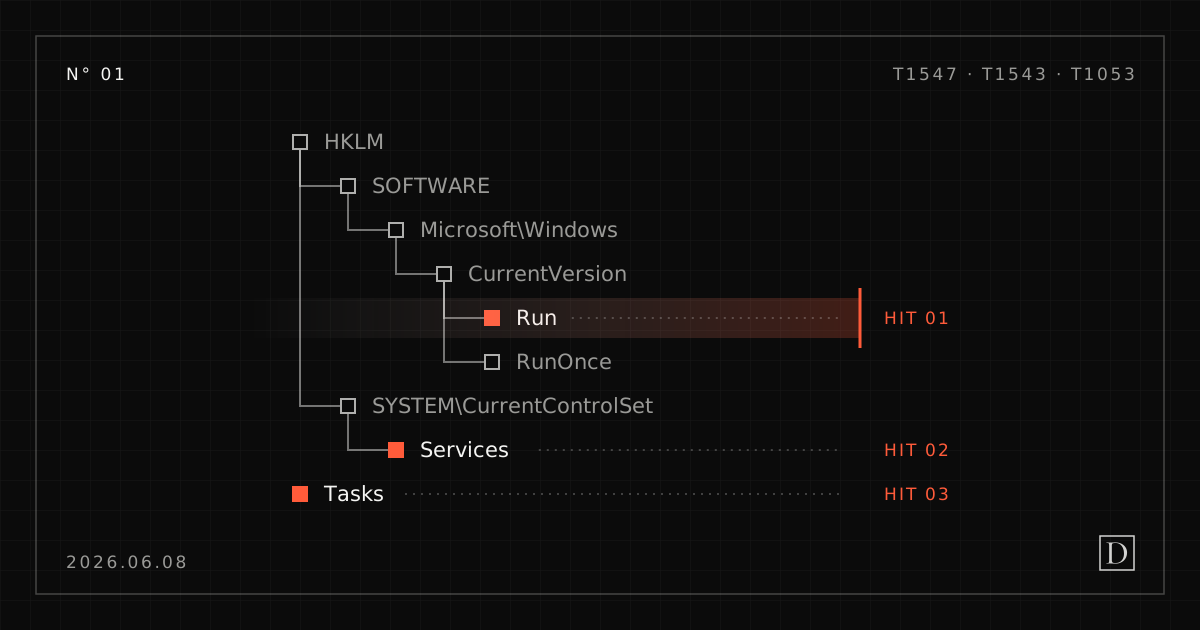
When a detection fires and you need to answer “is this thing coming back after reboot?”, you don’t have time to enumerate every persistence technique in the book. In practice, a small set of mechanisms accounts for the overwhelming majority of what you’ll actually find on a compromised Windows host. Knowing that set, and being able to sweep it in one pass, is the difference between a five-minute triage and an afternoon.
Where persistence actually lives
Most real-world persistence lands in one of a few buckets:
- Run / RunOnce keys: the classic, still the most common. Both the machine hive and the per-user hive. Cheap for an attacker, and they survive reboots.
- Scheduled tasks: flexible, easy to disguise with a benign-sounding name, and able to run on triggers other than logon.
- Services: heavier-weight, needs privilege, but very sticky when the attacker has it.
- Startup folders: low-effort, user-context, and still surprisingly common.
- WMI event subscriptions: the one people forget. Filter-plus-consumer bindings that fire on a condition, leaving nothing in the usual autorun locations.
The triage mindset
Two principles keep a persistence sweep honest.
First: baseline, then differentiate. A clean Windows install has plenty of legitimate autoruns. The signal isn’t “this key has entries”, it’s “this key has an entry that shouldn’t be there.” If you know what normal looks like, the anomaly stands out immediately.
Second: read timestamps as a timeline. A persistence entry written at 03:14 lines up against the process that created it and the network connection that followed. Persistence in isolation is a lead; persistence correlated to an execution event is a finding.
Automating the sweep
This is exactly the kind of repetitive, well-bounded collection that should be automated, not to make the decision, but to gather the evidence and lay it out for a human to read. A good persistence collector pulls the common autorun locations, normalizes them, flags the entries that deviate from a known-good baseline, and returns a clean, readable summary attached to the case.
That last part matters. The output of automation should be evidence a practitioner reads, not a verdict a practitioner is asked to trust. The tool finds the WMI subscription; the analyst decides whether it’s the backup software or the intruder.
A note on the WMI blind spot
If you sweep Run keys, tasks, services, and startup folders but skip WMI event subscriptions,
you have a gap an experienced attacker will happily use. Enumerate __EventFilter,
CommandLineEventConsumer / ActiveScriptEventConsumer, and the __FilterToConsumerBinding
that ties them together. It’s a small amount of extra work and it closes a favorite hiding
spot.
MITRE ATT&CK
The persistence techniques this sweep is built to cover.
| Tactic | Technique | ID |
|---|---|---|
| Persistence | Boot or Logon Autostart Execution: Registry Run Keys / Startup Folder | T1547.001 |
| Persistence | Scheduled Task/Job: Scheduled Task | T1053.005 |
| Persistence | Create or Modify System Process: Windows Service | T1543.003 |
| Persistence | Event Triggered Execution: Windows Management Instrumentation Event Subscription | T1546.003 |
The Takeaway
You don’t need to check everything. You need to check the right things, fast, and read what comes back with judgment. Persistence is one of the few places in an investigation where the attacker has to leave something behind, so it’s one of the highest-yield things to look at early.